
FitBuddy
Log the plate.
Track the burn.
AI-powered health tracking for Android — snap a plate or type what you ate, get calories and macros back. Region packs personalise prompts and portion language. Your data stays on your phone.
One flow. Real food.
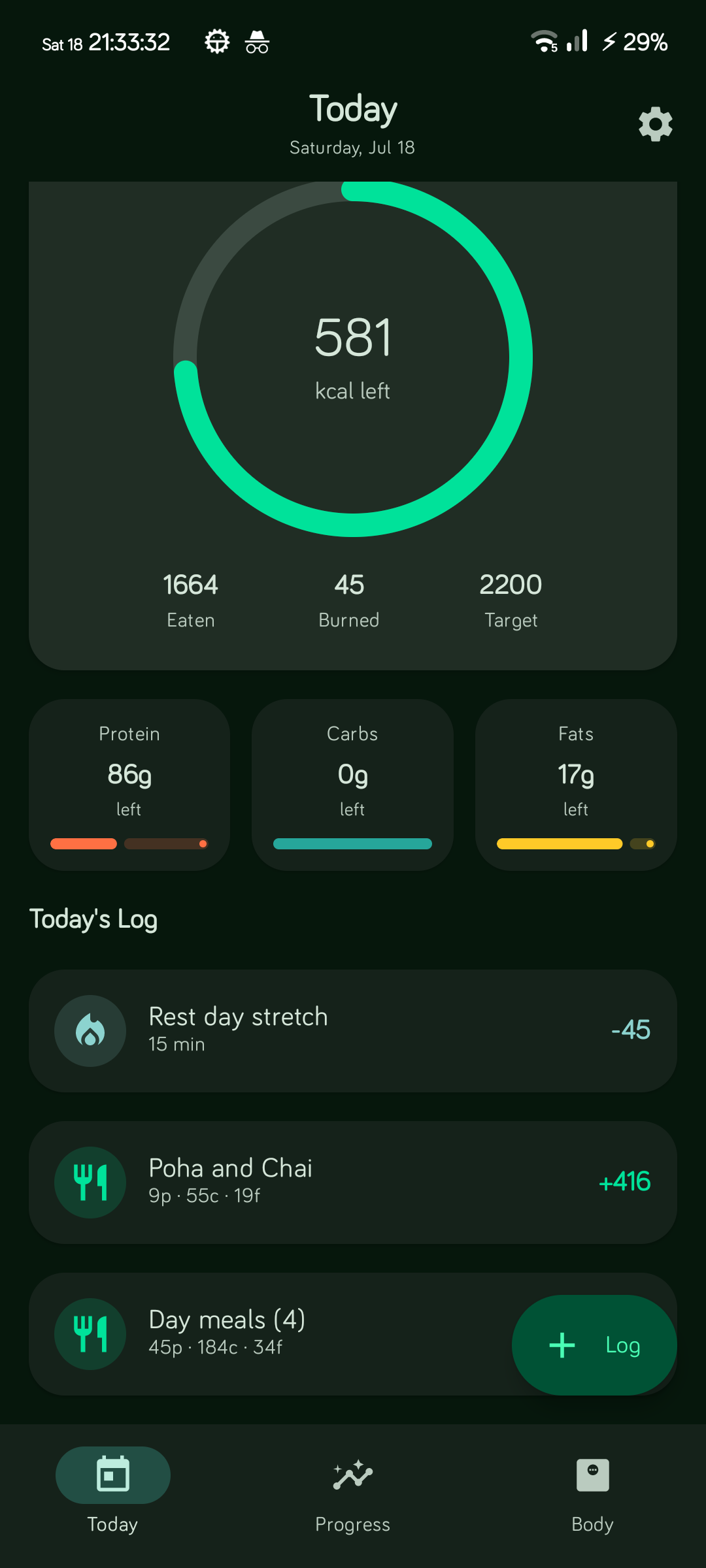
Capture → review → watch the day add up. No calorie spreadsheet required.
Built for how you actually eat.
Home cooking, takeout, leftovers — freeform text and photos both work.
-
Region packs
Pick your region once. AI prompts, staples, portion units, and log examples follow that pack — change anytime in Settings.
-
Smart logging
Photo or loose text. Your chosen AI estimates calories and macros for the foods you actually eat.
-
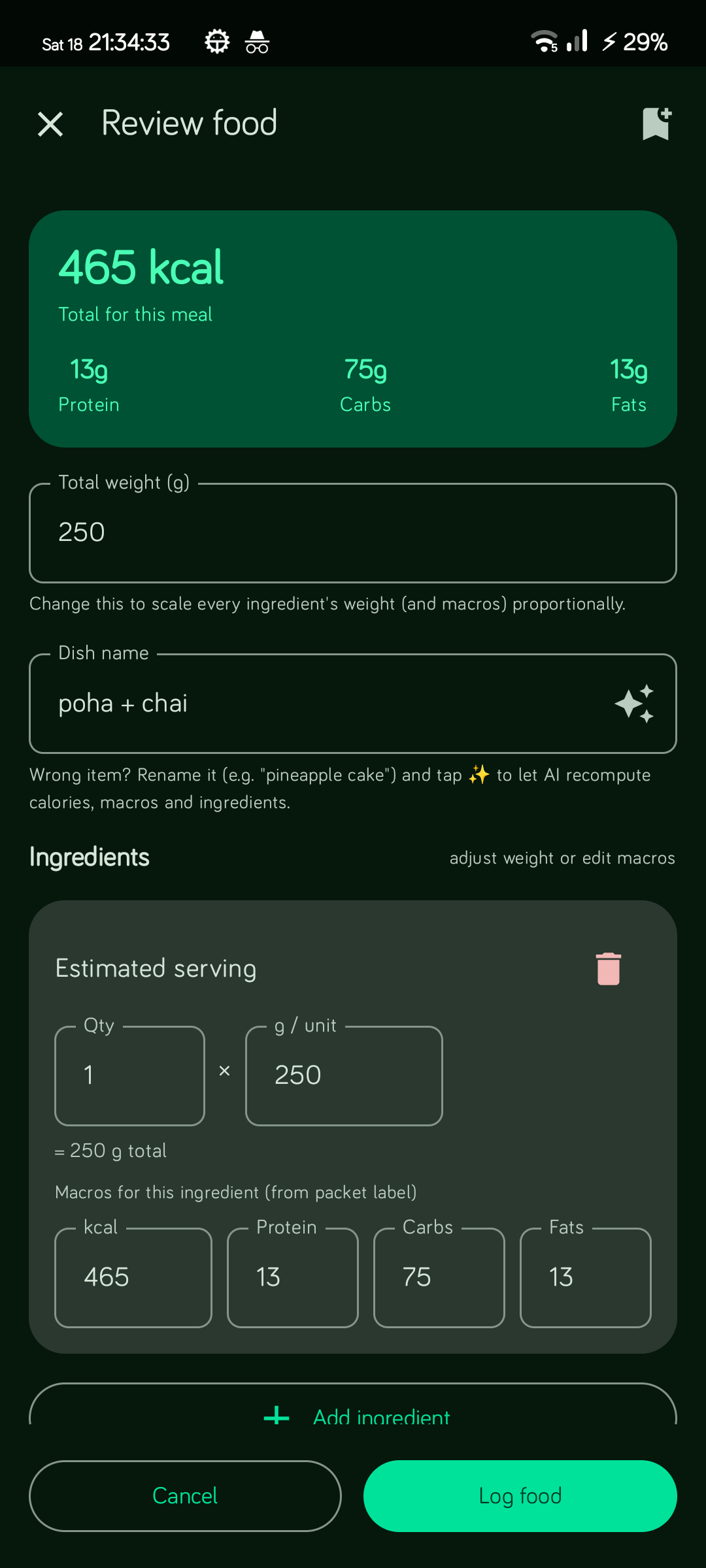
Meal review
Edit the dish name, tweak ingredient weights, watch macros update live. Save presets for next time.
-
Workouts that stick
Structured sessions with sets and reps, or upgrade a simple AI log into a full workout.
-
Private by default
Logs live on-device. Encrypted backups optional. Bring your own AI key — OpenRouter, Gemini, OpenAI, or Ollama.
-
Transparent targets
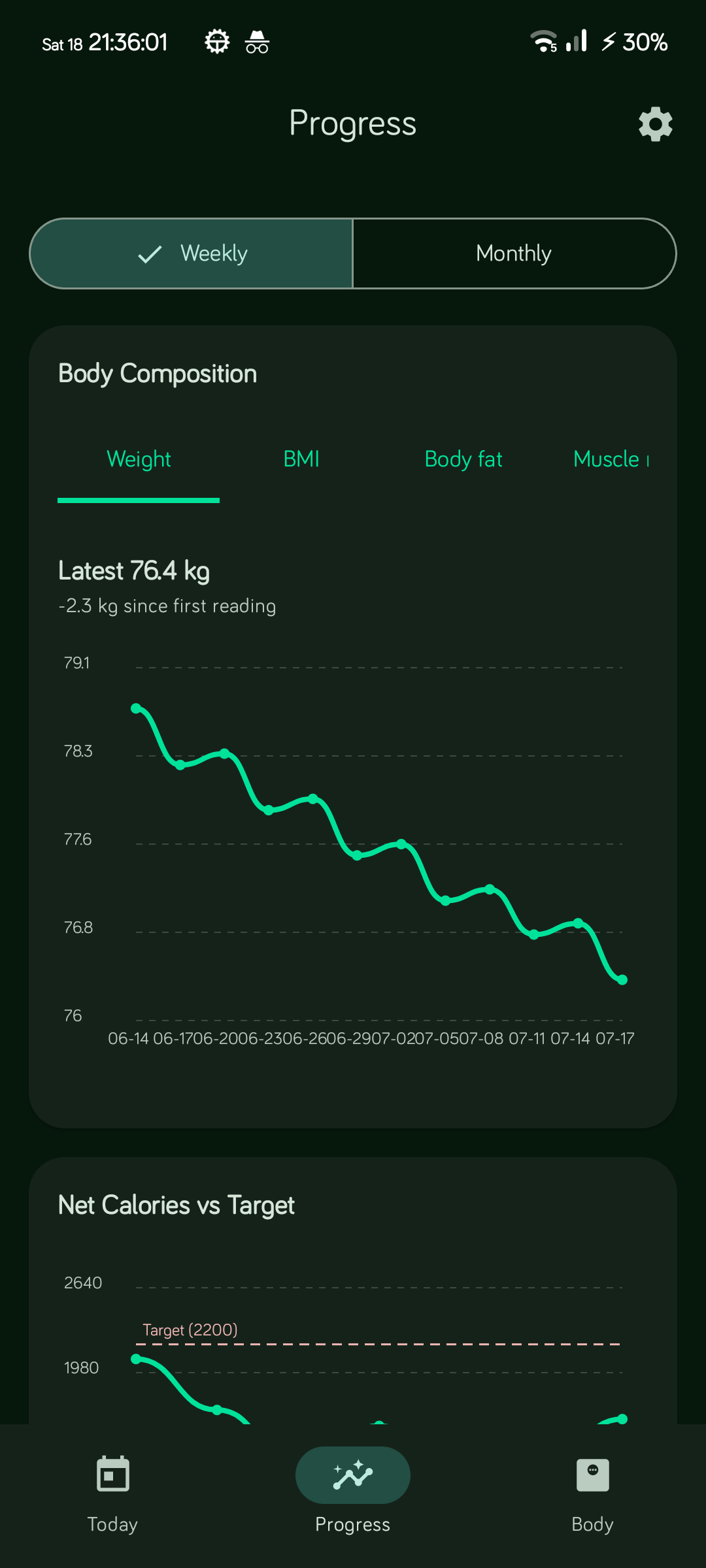
Calorie and macro candidates are calculated on-device with published rules, bounded trend feedback, and optional constrained AI selection. Read the methodology.
Three steps.
-
01
Install
F-Droid, OpenAPK, or the GitHub APK. Android 10+.
-
02
Connect AI (or skip)
OpenRouter sign-in, API key, or offline simulator — your call. Choose your region pack.
-
03
Log today’s food
Snap a plate or type what you ate. Review, save, done.
Your kitchen. Your keys.
Your device.
FitBuddy is open source (GPL-3.0). No FitBuddy account. Meal photos and API keys stay on your phone except when you ask an AI provider you chose to analyze a log — see Privacy.
Get FitBuddy
Same codebase on every store. Pick the channel you trust.

Requires Android 10+. GitHub APKs are arm64-v8a. F-Droid uses a different signing key — don’t mix update channels on one install.