
FitBuddy
Log the thali.
Track the burn.
AI-powered health tracking for Android — photo or freeform text in, calories and macros out. Tuned for Indian diets and everyday routines.
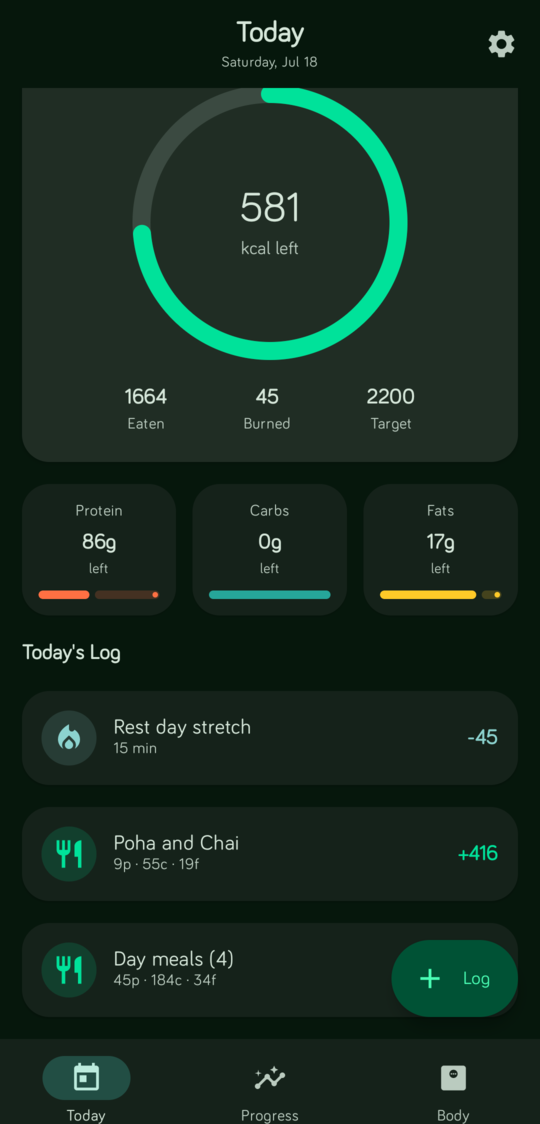
FitBuddy — auto failover, OpenRouter sign-in, cloud backup, and daily reminders.
One flow. Real food.
Snap a plate or type what you ate. Review the estimate, tweak weights, save presets — then watch the day add up on the dashboard.
-
01
Capture
Photo or loose text. FitBuddy talks to the AI provider you choose.
-
02
Review
Edit the dish, rescale ingredients live, bookmark meals you repeat.
-
03
See progress
Daily ring, macros, workouts, and charts that stay on your device.
What’s new
Lock your backups behind a password, add OpenAI or any OpenAI-compatible server as a provider, and keep the auto failover, paid-model, and open-source barcode scanning from recent releases.
-
01
Encrypted backups
Password-protect your exports and cloud backups with AES-256-GCM encryption. The cloud only ever stores encrypted data, and your password stays on-device. Technical details →
-
02
OpenAI provider
Pick OpenAI directly in onboarding or Settings — gpt-4o and gpt-4o-mini out of the box, alongside OpenRouter, Gemini, and Ollama.
-
03
Any OpenAI-compatible server
Local mode now talks to LM Studio, vLLM, LocalAI, or OpenAI — with an optional API key. Keyless local servers still work.
Learn the app
First-run setup, day-to-day logging, settings, and answers to common questions.
Onboarding
Start fresh or restore a backup, connect AI (OpenRouter sign-in or keys), then set your profile.
Day to dayUsage guide
Food, workouts, reminders, encrypted backups, Progress coach, and updates.
AnswersFAQ
Providers, encrypted backups, cloud restore, reminders, barcodes, and troubleshooting.
DataPrivacy
On-device data, AI providers, optional cloud backup, and crash reports.
Get the latest build
Install from F-Droid, OpenAPK, or grab the APK directly. Requires Android 10 or newer.

Open source under GPL-3.0. Your API keys and meal data stay on your phone except when calling the AI provider you chose — see Privacy.